The Deep Video Personalization Playbook for Sales
How B2B sales teams are getting 3-6x more prospect responses by replacing text outreach with personalized video. And why one recording is all it takes.
What this playbook is for
This is a practical guide for sales leaders, SDRs, and AEs who want more prospect responses without adding headcount or burning through more lists.
It covers three things:
- Why text-based prospecting is losing effectiveness (with real data)
- How to record personalized videos that sound human, not scripted
- Script examples and rapport calibration for the verticals sales teams work in most
If you already know personalized video works and just want the scripts, skip to Part 3.
Why Personalized Video Changes Sales
Text prospecting is losing ground
Every year, reaching prospects gets harder. Not because buyers changed. Because the volume of identical messages in their inbox changed.
Only 24% of sales emails are ever opened (HubSpot 2025). The average B2B cold email reply rate dropped from 8.5% in 2019 to 3.43% in 2026 (Belkins 2025, Instantly 2026). And 73% of B2B buyers actively avoid sellers who send irrelevant outreach (Salesforce, State of Sales 2026).
67% of B2B buyers now prefer a rep-free buying experience (Gartner 2026). That does not mean they do not want to hear from you. It means they want to hear from you on their terms, when the message is relevant, and when it feels like it was made for them.
The constraint is not how many messages you send. It is how each message makes the prospect feel.
A cold email that starts with "I noticed your company is growing" feels like a template. Because it is one. A video that shows the prospect's own LinkedIn profile scrolling on screen while you greet them by name feels like a personal introduction. Because it looks like one.
That difference in perception is where the entire leverage lives.
What personalized video does to the numbers
The research across 2024-2026 shows a clear progression. Each level of personalization adds a measurable lift.
| Level | Reply rate | Lift vs. text-only | Source |
|---|---|---|---|
| Text-only (generic cold email) | 3-5% | Baseline | Belkins, Instantly 2026 |
| Personalized text (custom first lines) | 10-17% | +142% | Woodpecker (20M+ emails) |
| Generic video (one recording, sent to many) | 10-16% | +160-400% | HubSpot (5x opens, 8x CTR), Wyzowl 2026 |
| Personalized video (unique per prospect) | 15-25% | +300-567% | Messagear 2026, HubSpot (4x meetings booked) |
The case studies confirm it
| Company | Before | After (personalized video) | Source |
|---|---|---|---|
| HubSpot BDR team | Templated text emails | 4x more meetings booked, 8x CTR increase | HubSpot |
| Brikl | Standard outreach | 6x response rate, 46% rise in demos booked | Brikl case study |
| Claap | 4% reply rate | 20% reply rate (5x improvement) | Messagear 2026 |
| Freshworks | Standard outreach | 3x responses, 66% more target leads, 40% shorter cycle | Hippo Video |
| Terminus | Text outreach | 216% higher response rate, 40% higher opens, 37% higher clicks | Messagear |
Why cold prospects watch video
Prospects skip cold emails because scanning an inbox costs the same effort whether a message is personal or not. There is no visual signal to separate yours from the other 50 they got this week. Video inverts that equation. Pressing play on a 30-second video where someone says your name and scrolls through your LinkedIn profile costs almost nothing, but it feels like a personal introduction. That gap between effort and perceived attention is why prospects who delete every cold email will watch a video and reply.
Three ways to send personalized video at scale
| Approach | Videos per day | Time per 200 prospects |
|---|---|---|
| Manual recording (one at a time) | 10-15 | 2-3 weeks |
| AI avatar tools (synthetic face) | Unlimited | Minutes, but impersonal |
| Hybrid (real you + AI personalization) | 200+ | Minutes, and authentic |
The hybrid approach uses your real face and voice from a single recording, then uses AI to personalize only two things: saying each prospect's name in your voice, and capturing a live screen recording of their LinkedIn profile. The rest is you.
How to Record a Great Sales Video
The one rule that matters
Your video should sound like a colleague sharing a relevant insight, not a salesperson reading a pitch deck. If you would not say it this way to someone sitting across from you at a coffee shop, re-record it.
A real example that works
Here is a video script structure that performs well in B2B sales:
[name], (pause) I'm [your name] from [your company]. I wanted to reach out because we've been working with [type of companies like theirs] and the results have been pretty interesting. I noticed that companies in your space are [name a relevant trend or challenge]. We help with that specifically. I won't go into all the details here, but let me know if you'd like to chat, I'm sure it'll be worthwhile.
Notice what makes this work:
- It sounds like a person talking. Contractions, natural pauses, conversational pace. Not a script being read.
- There is a rapport line. "Companies in your space are [trend]" connects to the prospect's world without making assumptions about their individual situation.
- The value is implied, not pitched. "The results have been pretty interesting" creates curiosity without a feature dump.
- The close is confident and warm. "Let me know if you'd like to chat, I'm sure it'll be worthwhile" is how a friend ends a recommendation. Not "book a demo" or "when are you free this week?"
Recording guidelines
Length: 30-45 seconds. Under 60 seconds is critical. Videos under 1 minute get 65-75% completion rates. Over 2 minutes drops below 50% (Wyzowl 2026).
Tone: A casual video works better than a polished one, because it feels human. Look at the camera. Smile naturally. Speak at a conversational pace.
The greeting: The opening ("Hey [name]...") gets replaced with personalized audio for each prospect. Plan for this: record a natural pause after the name where the conversation can breathe.
What to avoid
- Scripts that sound scripted. If it feels rehearsed, re-record it.
- Studio lighting or branded backgrounds. These signal "marketing," not "personal message."
- More than one take. The first natural take almost always outperforms the polished fifth take.
- Sales language. "I'd love to connect," "touching base," "circle back," "pick your brain," and "quick question" do not belong in a personal video.
The delivery message: getting them to press play
The video is the hook. The delivery message gets them to click.
Once Outvo generates your videos, each prospect gets a unique shareable link. You deliver that link through your normal outreach channels: LinkedIn, email, or whatever your team uses. The text around the link matters.
Here is a delivery message that works:
[name],I work with
[type of companies like theirs] and I noticed something that might be relevant to what [company name] is building right now.Rather than explain it in a wall of text, I created a quick 1-minute video:
[video link]
The delivery message is a door, not the room. Keep it under 50 words before the link. If you are writing more than three sentences, you are competing with your own video.
What the prospect actually sees
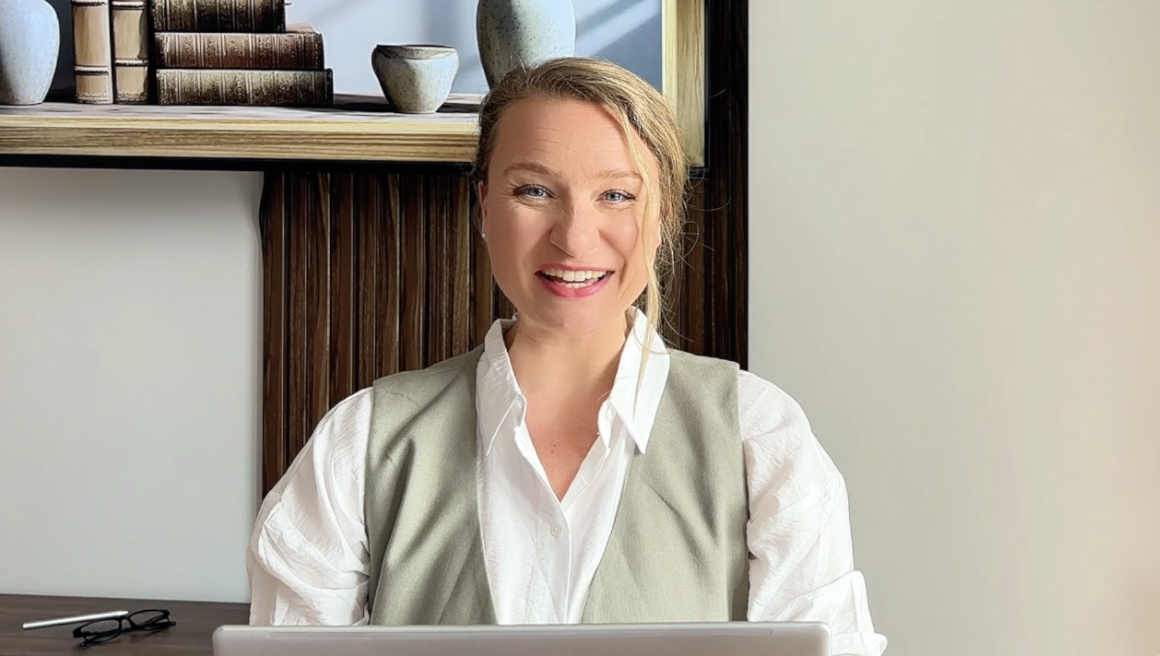
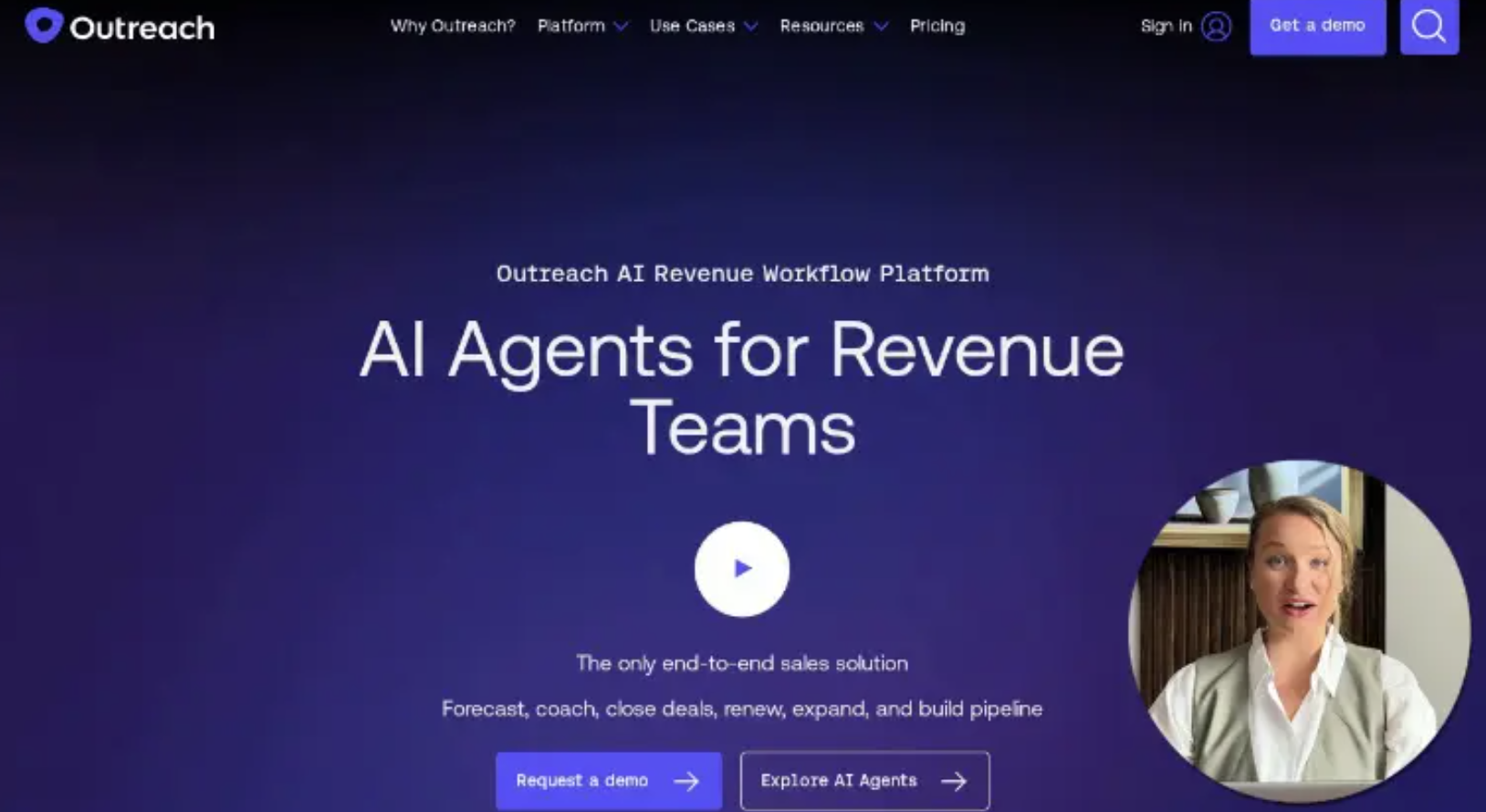
You record a 30-second video at your desk. One take. The AI adds each prospect's name to the greeting in your voice and captures their LinkedIn profile scrolling on screen in a Picture-in-Picture window. The result looks like you personally opened their profile and recorded a message for them.
Record your first video and see what your prospects will see.
Try It Free →Video Script Examples for Sales
Below are complete video scripts for three common B2B sales scenarios. Each includes guidance on how to adjust the rapport line for sub-segments within that audience.
Important: These are starting points for your own voice. Read them out loud. If any sentence does not sound like something you would actually say, rewrite it in your words. The structure matters more than the exact phrasing.
Example 1: Selling to VP/Director-level buyers in SaaS
Video script (speak naturally, ~35 seconds):
[name], (pause) I'm [your name] from [your company]. I wanted to reach out because we've been working with [type of SaaS companies, e.g. "B2B SaaS teams scaling past 50 reps"] and the results have been pretty interesting. I know at your level, you're probably getting pitched constantly, so I'll be direct. We help [one-sentence outcome, e.g. "sales teams cut their prospecting time in half without losing personalization"]. I think it's relevant to what [company name] is building right now, let me know if you'd like to chat, I'm sure it'll be worthwhile.
How to adjust the rapport line:
"I know at your level, you're probably getting pitched constantly" works across VPs of Sales, Marketing, RevOps, and CS. It is honest and self-aware. For CROs and C-suite, try "I know your inbox is full of vendors, so I kept this short." For Directors, try "I know you're focused on execution, not evaluating more tools." Match the wording to the seniority of your list.
Example 2: Selling to operations/logistics buyers
Video script (speak naturally, ~35 seconds):
[name], (pause) I'm [your name] from [your company]. I wanted to reach out because we've been working with [type of operations, e.g. "logistics teams managing 500+ shipments a month"] and noticed something interesting. Companies in your space are [name one trend, e.g. "spending more time on manual tracking than they realize, and it's costing them throughput"]. We built something that helps with that. I won't pitch you in a 30-second video, but let me know if you'd like to chat, I'm sure it'll be worthwhile.
How to adjust the rapport line:
"Companies in your space are [trend]" is the most flexible structure for operations buyers. The key is naming a trend that is specific to their vertical but true for everyone on your list. Good examples: "dealing with rising carrier costs and tighter delivery windows" (logistics), "trying to consolidate tools after years of adding point solutions" (ops tech). The rapport line should name their world, not their individual activity.
Example 3: Selling to marketing buyers
Video script (speak naturally, ~35 seconds):
[name], (pause) I'm [your name] from [your company]. I'm reaching out because we work with [type of marketing teams, e.g. "B2B marketing teams running outbound alongside content"] and the pattern we're seeing is interesting. Most teams are [name one challenge, e.g. "generating enough pipeline from content but struggling to convert it into meetings"]. We help close that gap. I recorded this video because I think it's more honest than a cold email, and I wanted you to see what we actually do. Let me know if you'd like to chat, I'm sure it'll be worthwhile.
How to adjust the rapport line:
"Most teams are [challenge]" works across demand gen, content marketing, growth, and marketing ops. For VP/CMO level, sharpen it to "Most marketing leaders I talk to are dealing with [challenge] right now." For individual contributors, try "I know marketing teams your size are stretched thin." The principle is the same: name their world at the level that matches your list.
How to use these scripts at scale
Pick a script, adapt it to your voice, and record one 30-second video. From that single recording, you can generate a personalized video for every prospect on your list.
Record your base video
30-45 seconds using one of the scripts above. The platform identifies where the greeting is.
Upload your prospect list
CSV or JSON. Each prospect needs a name and LinkedIn URL.
Preview and launch
Each video gets a personalized greeting in your voice, lip-sync alignment, and a live PIP recording of the prospect's LinkedIn profile.
Deliver via your normal channels
Each prospect gets a unique shareable video link with view tracking: who opened, who watched, how far they got.
Where the video fits in your outreach cadence
The video is your opening move. The rest of the sequence follows up on the attention it earns.
The Rapport Line
The rapport line is the single sentence that makes the prospect feel like you understand their world. It sits between your self-introduction and the value statement. Without it, the video feels like a template. With it, the video feels like a warm introduction from a mutual connection.
The principle
Reference something that is true for everyone on your list, but would feel oddly specific to someone outside that group. If you said this line at an industry conference, would the room nod? If yes, it works for a batch send. If it only applies to one person, it is too narrow. If it applies to every professional on LinkedIn, it is too broad.
Examples by calibration level
The middle column works because it is specific enough to feel personal and broad enough to match everyone on a 50-person prospect list.
How to build a rapport line for any prospect segment
- Identify the shared context. What is true for every prospect on your list? Their industry, their role, a common challenge they face, a shift happening in their market.
- Say it out loud. If it sounds like something you would say at a dinner with someone from that industry, it works. If it sounds like a LinkedIn post headline, rewrite it.
- Test the boundaries. Does it apply to the most senior person on your list AND the most junior? If not, narrow or widen until it covers the full range.
You have the scripts and the rapport lines. Put them to work.
Record Your First Video →The ROI of Personalized Video for Sales
Calculate your ROI
Adjust the sliders to match your team. The math updates in real time.
Pipeline impact
| Variable | Conservative | Mid-range | Aggressive |
|---|---|---|---|
| Current cold email reply rate | 3.4% | 5% | 8% |
| Personalized video reply rate | 15% | 20% | 25% |
| Additional replies per 100 sends | +11.6 | +15 | +17 |
| Meetings booked from replies (25%) | 2.9 | 3.75 | 4.25 |
| Average deal size | $10,000 | $30,000 | $50,000 |
| Close rate from meeting (20%) | $5,800 | $22,500 | $42,500 |
| Additional monthly revenue | $5,800 | $22,500 | $42,500 |
| Outvo cost (Business tier) | $249/mo | $249/mo | $249/mo |
| ROI multiple | 23x | 90x | 170x |
Even in the most conservative scenario, one extra closed deal per quarter covers Outvo for over a year.
The time ROI
| Activity | Manual approach | With Outvo |
|---|---|---|
| 200 personalized prospect videos | 40-60 hours (2-3 weeks) | 5 minutes of recording + rendering time |
| SDR time freed per week | 0 hours | 10-15 hours |
| What reps do with freed time | N/A | Discovery calls, pipeline management, closing |
The time savings alone justify the tool for most sales teams. The reply rate improvement is the multiplier on top.
Metrics to track
Every video generates tracking data. Use it to optimize your scripts and targeting.
| Metric | What it tells you | Benchmark |
|---|---|---|
| Video play rate | Whether the delivery message got the prospect to press play | 34-65% (personalized video) |
| Watch completion | Whether the video holds attention | 65-75% for videos under 60 seconds |
| Reply rate | The metric that books meetings | 15-25% (B2B sales with personalized video) |
| View-to-reply ratio | Content quality signal | >30% means the video resonates |
10 free videos is enough to prove this works
Full pipeline: personalized greeting, lip-sync, LinkedIn PIP recording. At a 15-25% reply rate, 10 videos gets you 1-2 prospect responses. Enough to know before you spend a dollar.
Frequently Asked Questions
Does this look like a deepfake?
No. Outvo uses a hybrid model: your real face, your real voice, your real presence. AI handles only two things: pronouncing the prospect's name in a greeting (using a clone of your voice) and capturing a screen recording of their LinkedIn profile. Unlike AI avatar tools that generate synthetic faces, every Outvo video starts with a real human recording. The result looks and sounds like you personally recorded a message for each prospect, because the source video is genuinely you.
Will prospects find this creepy?
The data says no. Personalized video consistently produces 3-6x higher reply rates, which means prospects engage more, not less. The key is that the video shows genuine effort (their profile, their name) without crossing into surveillance territory. You are showing publicly available information in a format that feels personal.
What about LinkedIn's terms of service?
Outvo does not interact with LinkedIn on behalf of your account. The PIP screen recording captures a publicly viewable profile page. Your LinkedIn credentials are never used. The video is hosted on Outvo's own pages and shared via your existing outreach channels.
How long should the video be?
Under 60 seconds. The optimal range is 30-45 seconds (Wyzowl 2026). Videos under 1 minute get 65-75% completion. Over 2 minutes drops below 50%.
Does this work for cold prospects who have never heard of us?
Especially for cold prospects. They are the ones who ignore templated emails. A personalized video breaks through precisely because it does not look like mass outreach. The PIP showing their profile creates a moment of attention that a text email cannot.
What if a prospect's LinkedIn profile is private?
Outvo degrades gracefully. If a profile cannot be loaded, the system generates a greeting-only video (still personalized with their name, but without the PIP overlay). The video is flagged so you can review it before sending.
Data Sources
All benchmark data cited in this playbook comes from published research (2020-2026):
View all data sources
- McKinsey & Company, "The Value of Getting Personalization Right" (2023) and "B2B Sales Forever Changed" (2022)
- Gartner, "80% of B2B Sales in Digital Channels" (2025) and "67% of Buyers Prefer Rep-Free Experience" (2026)
- Salesforce, State of Sales Report and "40 Sales Statistics" (2026)
- HubSpot, State of Marketing Report (2026) and "Video in Sales" case studies (2025)
- Wyzowl, State of Video Marketing Report (2026, 12 consecutive years of data)
- Content Marketing Institute / MarketingProfs, B2B Content Marketing Trends (2026)
- Accenture, Personalization Pulse Check (2021)
- Belkins, B2B Cold Outreach Benchmarks (2025, 16.5M emails, 20M+ LinkedIn attempts)
- Instantly, Cold Email Benchmark Report (2026, platform-wide data)
- Messagear, Personalized Video Prospecting Guide (2026)
- Hippo Video, Sales Engagement Research (2025)